Blog Articles

Explore the latest news, updates, and practical guides.

Ray5 mini/miniS Timing Belt Replacement

Ray5 mini/miniS Timing Belt Replacement

The timing belt is a key component responsible for transmitting motion between the motor and the X/Y axes. Over time, belts can wear out, loosen, or break, leading to issues such as inaccurate positioning, skipped steps, or uneven...
Plus
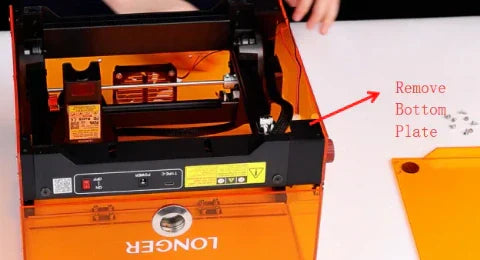
Replacing the Ribbon Cable on Ray5 mini/miniS

Replacing the Ribbon Cable on Ray5 mini/miniS

Ray5 mini and miniS use the same type of ribbon cable, and the replacement method is similar. This guide takes the Ray5 mini as an example. 1. Loosen the Velcro and disconnect the cables for the laser, X/Y-axis...
Plus
Ray5 MiniS: Engraved Patterns Are Unclear

Ray5 MiniS: Engraved Patterns Are Unclear

Unclear or faint engraving patterns are one of the most common issues when using the Ray5 MiniS. This problem is usually related to focus accuracy, software settings, parameter mismatch, or lens contamination rather than hardware failure. This guide...
Plus
Engraving Errors or Alarms — Ray5 MiniS

Engraving Errors or Alarms — Ray5 MiniS

During engraving, the Ray5 MiniS may trigger errors or alarms related to limit switches or motion control. These alarms are typically caused by operational actions, software settings, or homing issues rather than hardware failure. This guide explains the...
Plus
Adjusting Graphic Position in LaserGRBL — Ray5 MiniS

Adjusting Graphic Position in LaserGRBL — Ray5 MiniS

Properly positioning your engraving design is essential to ensure it fits within the machine’s working area and avoids boundary errors. In LaserGRBL, you can adjust the graphic position by modifying the X and Y offsets before starting the...
Plus